🌟 Functional Programming in Automation Testing with TypeScript and Playwright 🤖🚀 Part II

Welcome to the second part of our exploration into functional programming in automation testing. In this continuation, we will delve deeper into the practical implementation of the concepts we've discussed so far. Here's what you can expect in this part:
Installing Required Libraries
Here are step-by-step instructions for installing TypeScript, Playwright, and fp-ts. We'll also include code snippets and commands to help you through the installation process. Please note that you need Node.js installed before proceeding with these installations. If you haven't already installed Node.js, you can download it from the official website: Node.js
Step 1: Install TypeScript
- Open your command-line interface (CLI) or terminal.
- Use Node Package Manager (npm) to install TypeScript globally:
npm install -g typescript
- Verify the TypeScript installation by running the following command:
tsc --version
This command should display the installed TypeScript version.
Step 2: Install Playwright
- Open your CLI or terminal.
- Create a new directory for your Playwright project, if you haven't already:
mkdir my-playwright-project-fp
cd my-playwright-project-fp
- Initialize a new Node.js project in your directory:
npm init -y
- Install Playwright by running the following command:
npm init playwright@latest
- Once Playwright is installed, you can use it with JavaScript or TypeScript for your automation testing. TypeScript is recommended for type safety.
Step 3: Install fp-ts (Functional Programming in TypeScript)
- Open your CLI or terminal.
- Navigate to your project directory (e.g., my-playwright-project-fp).
- Install fp-ts as a dependency for your project:
npm install fp-ts
- You can now start using fp-ts in your TypeScript code. Make sure to import the necessary modules as needed in your TypeScript files.
Common Issues and Troubleshooting
- Permissions Issue: If you encounter a permissions issue when installing packages, you may need to use sudo or set up proper permissions for your npm installation.
- Node Version: Ensure that you have a compatible version of Node.js installed. You can check your Node.js version using node -v, and make sure it's up to date.
- Project Directory: Make sure you are in the correct directory when running npm commands. You should be inside your project directory when installing Playwright and fp-ts.
- TypeScript Configuration: If you intend to use TypeScript with Playwright, you may need to set up a TypeScript configuration file (tsconfig.json) in your project directory to specify how TypeScript should compile your code. You can initialize a TypeScript configuration file using 'tsc --init' and customize it as needed.
With these installations and some common troubleshooting steps in mind, you should be well on your way to building a functional programming-based automation testing framework using TypeScript, Playwright, and fp-ts.
Setting Up the Project
Project file structure
After installing the required libraries like TypeScript, Playwright, and fp-ts for your automation testing project, it's essential to have a well-structured project directory to maintain your code efficiently. Here's a typical project file structure after installing the required libraries:
│
├── node_modules/
├── tests/
│   ├── example.spec.ts
├── tests-examples/
│   ├── demo-todo-app.spec.ts
├── .gitignore
├── package-lock.json
├── package.json
├── playwright.config.ts
├── tsconfig.json
Here's a breakdown of the project structure:
- node_modules/: This directory contains the libraries and dependencies installed for your project. You don't need to manage this directory manually; npm takes care of it.
- tests/: This directory is for your general test scripts. The example.spec.ts file is an illustration of a typical test script.
- tests-examples/: This directory appears to be reserved for specific test examples. The demo-todo-app.spec.ts file contains test cases related to a demonstration of a todo application.
- .gitignore: This file specifies which files or directories should be ignored by Git when you commit your project to a version control system. It's crucial for managing your project in a version-controlled environment.
node_modules/
/test-results/
/playwright-report/
/playwright/.cache/
- package-lock.json: This file contains information about the exact versions of packages installed in your project, ensuring consistency among team members or on different machines.
- package.json: This file holds metadata about your project and lists the project's dependencies. It also includes npm scripts for running tests, among other things.
{
  "name": "my-playwright-project-fp",
  "version": "1.0.0",
  "description": "",
  "main": "index.js",
  "scripts": {},
  "keywords": [],
  "author": "",
  "license": "ISC",
  "devDependencies": {
    "@playwright/test": "^1.39.0",
    "@types/node": "^20.8.7"
  },
  "dependencies": {
    "fp-ts": "^2.16.1"
  }
}
- playwright.config.ts: This configuration file is essential for configuring Playwright settings, such as browsers to use, device emulation, and more.
import { defineConfig, devices } from '@playwright/test';

export default defineConfig({
  testDir: './tests',
  fullyParallel: true,
  forbidOnly: !!process.env.CI,
  retries: process.env.CI ? 2 : 0,
  workers: process.env.CI ? 1 : undefined,
  reporter: 'html',
  use: {
    trace: 'on-first-retry',
  },
  projects: [
    {
      name: 'chromium',
      use: { ...devices['Desktop Chrome'] },
    },
  ],
});
We can simplify our Playwright configuration to remove the extra projects (firefox and webkit)
- tsconfig.json: The TypeScript configuration file dictates how TypeScript should compile your code. You can customize various options to tailor the compilation process to your project's requirements.
{
  "compilerOptions": {
    "target": "es2016",
    "module": "commonjs",
    "esModuleInterop": true,
    "forceConsistentCasingInFileNames": true,
    "strict": true,
    "skipLibCheck": true
  }
}
Your project structure is organized to house your test scripts and relevant configurations neatly. You can create additional directories for utility functions, page objects, or any other supporting code as your project expands. This structure provides a good foundation for automation testing with Playwright and TypeScript.
Let's try to run our first tests 😊:
- Open your CLI or terminal.
- Navigate to your project directory (e.g., my-playwright-project-fp).
- Run first tests:
npx playwright test
- The output is:
2 passed (6.3s)
To open last HTML report run:
  npx playwright show-report
To simplify running tests, just add this 'npx playwright test' command into our package.json file in the 'scripts' section:
{
  "name": "my-playwright-project-fp",
  "version": "1.0.0",
  "description": "",
  "main": "index.js",
  "scripts": {
    "test": "npx playwright test"
  },
  "keywords": [],
  "author": "",
  "license": "ISC",
  "devDependencies": {
    "@playwright/test": "^1.39.0",
    "@types/node": "^20.8.7"
  },
  "dependencies": {
    "fp-ts": "^2.16.1"
  }
}
Now we can use simple command
npm test
The output is:
2 passed (6.3s)
To open last HTML report run:
  npx playwright show-report
Writing Functional Tests
Review normal Playwright tests
The provided Playwright tests are simple, imperative-style tests for checking web page elements and interactions. They serve as a good starting point for understanding Playwright's capabilities but have some weaknesses when viewed through a functional programming lens:
- Imperative Style:
- The tests follow an imperative style, where actions are specified in a step-by-step manner, which can make the code harder to reason about and maintain.
- Side Effects:
- The tests include side effects like interactions with the page (e.g., clicks), which are generally discouraged in functional programming, as they can introduce unpredictability and affect the test's purity.
- Lack of Reusability:
- The tests are not highly reusable. If you need to perform a similar action on a different page or in multiple tests, you might end up duplicating code, leading to maintenance challenges.
- Test Data Handling:
- Data used in the tests (e.g., URLs, element names) is hardcoded within the test functions, making it less flexible and harder to update if there are changes in the application.
Explore how to transform tests into functional programming approach
Now, let's explore how you can transform these tests into a functional programming approach using fp-ts and TypeScript. We'll focus on creating more modular, reusable, and pure functions.
The transformed tests are excellent examples of how to apply functional programming principles to automation testing using TypeScript, Playwright, and fp-ts (Functional Programming in TypeScript). These tests focus on composing pure functions and handling errors with TaskEither.
Here's a breakdown of the functional programming approach and a detailed description of each test:
Functional Approach:
In this approach, we've created pure functions that return TaskEither monads. Each function represents a specific action and is composed using the fp-ts library's pipe function to create test scenarios.
- goto Function:
const goto = (page: Page) => (url: string): TE.TaskEither<void, Page> =>
  TE.tryCatch<void, Page>(
    async () => {
      await page.goto(url);
      return page;
    },
    (error) => {
      throw new Error(error as string);
    }
  );
The goto function takes a Playwright page object and returns a function that accepts a URL to navigate to. It encapsulates the logic for navigating to a specified URL. It returns a TaskEither that can handle errors.
- clickGetStarted Function:
const clickGetStarted = (page: Page): TE.TaskEither<void, Page> =>
  TE.tryCatch<void, Page>(
    async () => {
      await page.getByRole('link', { name: 'Get started' }).click();
      return page;
    },
    (error) => {
      throw new Error(error as string);
    }
  );
The clickGetStarted function takes a Playwright page object and returns a function that clicks the "Get started" link on the page. It also returns a TaskEither to manage any potential errors during the action.
- verifyTitle Function:
const verifyTitle = (page: Page) => (expectTitle: RegExp | string): TE.TaskEither<void, void> =>
  TE.tryCatch<void, void>(
    async () => await expect(page).toHaveTitle(expectTitle),
    (error) => {
      throw new Error(error as string);
    }
  );
The verifyTitle function takes a Playwright page object and an expected title (as a regular expression or string) and returns a function that verifies whether the page's title matches the expected value. It returns a TaskEither.
- verifyIfHeadingInstallationElementIsVisible Function:
const verifyIfHeadingInstallationElementIsVisible = (page: Page): TE.TaskEither<void, void> =>
  TE.tryCatch<void, void>(
    async () => {
      await expect(page.getByRole('heading', { name: 'Installation' })).toBeVisible();
    },
    (error) => {
      throw new Error(error as string);
    }
  );
This function checks if the "Installation" heading element is visible on the page. It takes a Playwright page object and returns a TaskEither.
Test Cases:
The tests use the pipe function from fp-ts to compose the actions sequentially. Here's a detailed description of each test case:
- 'has title fp' Test:
test('has title fp', async ({ page }) => {
  await F.pipe(
    goto(page)('https://playwright.dev/'),
    TE.chain((page) => verifyTitle(page)(/Playwright/))
  )();
});
-
The test navigates to the 'https://playwright.dev/' URL using the goto function.
-
It then verifies that the page title contains the string 'Playwright' using the verifyTitle function with a regular expression.
-
All actions are composed using TE.chain to handle errors and ensure the test's purity and predictability.
-
'get started link fp' Test:
test('get started link fp', async ({ page }) => {
  await F.pipe(
    goto(page)('https://playwright.dev/'),
    TE.chain((page) => clickGetStarted(page)),
    TE.chain((page) => verifyIfHeadingInstallationElementIsVisible(page))
  )();
});
- This test also begins by navigating to 'https://playwright.dev/' using the goto function.
- It then clicks the "Get started" link using the clickGetStarted function.
- Finally, it checks if the "Installation" heading element is visible with the verifyIfHeadingInstallationElementIsVisible function.
- Like the first test, it uses TE.chain to sequence the actions and handle errors.
Error Handling:
Each function includes error handling with TE.tryCatch. In case of errors, it throws an error with a descriptive message, ensuring that errors are handled in a controlled manner.
This functional approach aligns well with the principles of functional programming, emphasizing the use of pure functions, composition, and error management. It results in more maintainable and predictable test code, making it easier to write and debug complex test scenarios. Additionally, it provides the flexibility to handle errors gracefully and deliver meaningful error messages.
Advanced Techniques
Advanced techniques in functional programming can greatly enhance automation testing, making your test code more robust, maintainable, and efficient. Here are some advanced techniques and concepts that can be applied to automation testing within a functional programming paradigm:
- Higher-Order Functions (HOFs):
- HOFs are functions that take other functions as arguments or return functions as results. In automation testing, you can create higher-order functions to encapsulate common test patterns. For example, you could create a higher-order function to handle authentication, data setup, or page navigation, making your tests more modular and DRY (Don't Repeat Yourself).
- Functional Composition:
- Functional composition is the act of combining two or more functions to produce a new function. In testing, you can compose functions to create complex test scenarios. This allows you to reuse and combine smaller, pure functions to build comprehensive tests efficiently.
- Monads and Functors:
- Monads and functors are advanced concepts in functional programming that can be applied to handle sequencing and error handling in tests. Libraries like fp-ts provide monads like Task and TaskEither to manage async actions and errors gracefully.
- Immutability:
- Immutability is a core functional programming principle. Immutable data structures, like persistent data structures, can be used to represent and manipulate test data. This ensures that test data remains consistent throughout test execution, enhancing reliability.
- Partial Application and Currying:
- Partial application and currying enable you to create functions with multiple parameters step by step, making it easier to pass configurations and dependencies into your test functions. This enhances test data handling and flexibility.
- Type Safety and Static Analysis:
- Leverage TypeScript or other statically typed languages for your testing code. Static typing ensures that your code adheres to expected data types, reducing type-related bugs and making your tests more reliable.
- Pure Functions:
- Functional programming encourages the use of pure functions that produce the same output for the same input. Writing pure functions for your test actions ensures predictability, easy testing, and robust test setups.
By incorporating these advanced functional programming techniques into your automation testing, you can create test code that is more reliable, maintainable, and adaptable. It also helps streamline test case development, improve code reuse, and enhance the overall quality of your testing framework.
How to enhance existing tests with fixtures
The current problem with having these functions (i.e., goto, clickGetStarted, verifyTitle, and verifyIfHeadingInstallationElementIsVisible) defined in the same test file is that it violates the principles of modularity, reusability, and separation of concerns. Here's why you should consider using fixtures and moving these functions to separate modules:
- Violation of Separation of Concerns: Keeping these functions within the test file makes it challenging to separate the concerns of setting up and interacting with the page from the actual test logic. This violates the principle of separation of concerns, which can lead to less maintainable and more complex code.
- Code Duplication: If you have multiple test files that need to perform the same actions (e.g., navigating to a page, clicking a link), you'll end up duplicating these functions in multiple test files. This not only increases code redundancy but also makes it harder to maintain and update your code when changes are needed.
- Lack of Reusability: Functions like goto, clickGetStarted, and verifyTitle are generic actions that could be reused across multiple test files. By centralizing these actions, you promote reusability and maintainability.
- Test Fixture: Using a fixture in Playwright provides a dedicated and structured environment for setting up and managing browser instances and pages. By moving these functions into a fixture, you can ensure that each test starts from a clean and predictable state. It also enhances the isolation of your tests, making them more reliable.
- Code Organization: Moving these functions to separate modules allows you to organize your code more efficiently. You can create a dedicated module for actions, a module for test fixtures, and another for actual test cases. This separation enhances the readability and maintainability of your codebase.
- Collaboration: When working in a team, having a standardized approach to test setup and actions, as provided by fixtures and centralized modules, ensures that everyone follows the same practices. This improves collaboration and makes it easier to understand and extend the test suite.
To improve your approach, consider the following steps:
- Create a dedicated fixture for setting up your test environment, which includes launching a browser and creating a page.
- Define separate modules for the actions you want to perform (e.g., navigation, interaction, verification).
- Use the fixture in your test files to set up the environment before each test.
- Compose actions from your action modules within your test functions.
By adopting this approach, you'll have more modular, reusable, and maintainable code that adheres to best practices for test automation. It promotes code organization, code sharing, and standardization, ultimately making your testing efforts more efficient and reliable.
Create a dedicated Fixture
Let's establish a dedicated fixture for configuring your test environment, which includes creating an instance of the landing page. Creae a new folder fixtures under the tests folder with the fixture.ts file: The project structure now is:
│
├── node_modules/
├── tests/
│   ├── fixtures/
│   │   ├── fixture.ts
│   ├── example.spec.ts
├── .gitignore
├── package-lock.json
├── package.json
├── playwright.config.ts
├── tsconfig.json
To create our fixture, let's start by importing the required dependencies:
import { test as base } from '@playwright/test';
Define a Fixture type that represents the structure of the fixture. In this case, it includes a property landingPage of type LandingPage, which is the type associated with your application's landing page.
import { test as base } from '@playwright/test';

type Fixture = {
  landingPage: LandingPage;
};
Create the test fixture using base.extend. This method extends the base test suite with additional functionality. Here, you are extending it with a fixture that will set up your landing page.
import { test as base } from '@playwright/test';

type Fixture = {
  landingPage: LandingPage;
};
export const test = base.extend<Fixture>({
  landingPage: async ({ page }, use) => {
    const landing = landingPage(page);
    await use(landing);
    await page.close();
  }
});
Within the fixture definition:
- You provide a callback function that takes two arguments: page and use. page is a Playwright Page object, and use is a function that allows you to pass the setup data (in this case, the landingPage object) to the test cases that use this fixture.
- You create an instance of the LandingPage using the landingPage function, passing in the page object.
- You pass the landing object to the use function. This allows the test cases that use this fixture to access the landingPage object.
- Finally, you close the page to clean up after the test. This is important for maintaining a clean and isolated test environment.
Export the expect function from the @playwright/test library. This function allows you to make assertions in your test cases.
import { test as base } from '@playwright/test';

type Fixture = {
  landingPage: LandingPage;
};
export const test = base.extend<Fixture>({
  landingPage: async ({ page }, use) => {
    const landing = landingPage(page);
    await use(landing);
    await page.close();
  }
});

export { expect } from '@playwright/test';
Now you may have some errors because we do not implement the LandingPage and landingPage.
Define separate modules for the actions
Let's define separate modules for the actions you want to perform, such as navigation, interaction, and verification. Creae a new folder src in root. Then create a pages folder that means we place all pages we have in one folder.
Then creae a file landing-page.ts under the pages folder.
│
├── node_modules/
├── src/
│   ├── pages/
│   │   ├── landing-page.ts
├── tests/
│   ├── fixtures/
│   │   ├── fixture.ts
│   ├── example.spec.ts
├── .gitignore
├── package-lock.json
├── package.json
├── playwright.config.ts
├── tsconfig.json
To create our separate modules, let's start by importing the required dependencies:
import { PageOf } from "./pages";
Import Statement: This line imports a type or interface named PageOf from a module located in the relative file path ./pages.
Now we have to create one additional type PageOf. Creae a file pages.ts under the pages folder.
│
├── node_modules/
├── src/
│   ├── pages/
│   │   ├── landing-page.ts
│   │   ├── pages.ts
├── tests/
│   ├── fixtures/
│   │   ├── fixture.ts
│   ├── example.spec.ts
├── .gitignore
├── package-lock.json
├── package.json
├── playwright.config.ts
├── tsconfig.json
To create our type, we define the next code:
import { Page } from '@playwright/test';

export type PageOf<T> = (page: Page) => T;
The pages.ts module is focused on defining a type , which is a generic type. Let's dive deeper into this module:
- Imports:
- The module imports the Page type from the Playwright framework. This type represents a Playwright page object.
- Type Definition:
- The type definition is a generic type that accepts a type T. This type represents a function that takes a Playwright Page and returns an object of type T. This pattern is commonly used for defining page objects or elements' interfaces.
By creating this type, you establish a contract that enforces that any function of type should return an object conforming to type T, which helps ensure consistency in your Page Object Models.
Let's back to the implementation of our actions module for landing page in the landing-page.ts file.
import { PageOf } from "./pages";

export interface LandingPage {

}
Interfaces and Types: The LandingPage interface appears to be a placeholder for defining the elements and actions specific to the landing page. It's common in Page Object Models to create such interfaces to define the structure of the page.
import { PageOf } from "./pages";

export interface LandingPage {

}

export const landingPage: PageOf<LandingPage> = (page) => {
    return {

    };
}
landingPage Function: The landingPage function is exported from this module. It takes a Playwright Page as its argument and returns an object that conforms to the LandingPage interface. This function is essentially a factory function for creating instances of the landing page POM.
The landingPage function, when invoked with a Page, should return an object that provides methods and properties for interacting with elements on the landing page. These methods could include actions like clicking buttons, filling forms, and verifying elements.
In summary, the landingPage module is designed to encapsulate the structure and actions associated with a specific page (the landing page in this case). It uses the landingPage function to create instances of this page with methods for interacting with elements. The pages.ts module defines a type () to enforce the contract for page objects and maintain type safety.
With this approach, you can create similar modules for other pages in your application, resulting in a well-structured and modular test suite. These modules help keep your test logic and page interactions separate, making your automation tests more organized and easier to maintain.
Use the fixture in test files
To use our fixture with created modules in our tests let's move the defined methods in the example.spec.ts file into our landing-page.ts file.
import { expect } from "../../tests/fixtures/fixture";
import { PageOf } from "./pages";
import * as TE from 'fp-ts/TaskEither';

export interface LandingPage {
  goto: (url: string) => TE.TaskEither<void, void>;
  clickGetStarted: () => TE.TaskEither<void, void>;
  verifyTitle: (title: RegExp | string) => TE.TaskEither<void, void>;
}

export const landingPage: PageOf<LandingPage> = (page) => {
  return {
    goto: (url): TE.TaskEither<void, void> =>
      TE.tryCatch(
        async () => { await page.goto(url) },
        (error) => { throw new Error(error as string) }
      ),
    clickGetStarted: (): TE.TaskEither<void, void> =>
      TE.tryCatch(
        async () => page.getByRole('link', { name: 'Get started' }).click(),
        (error) => {
        throw new Error(error as string);
        }
      ),
    verifyTitle: (title): TE.TaskEither<void, void> =>
      TE.tryCatch(
        async () => await expect(page).toHaveTitle(title),
        (error) => {
          throw new Error(error as string);
        }
      ),
  };
}
We created a separate module named landing-pages.ts to encapsulate the actions and functionality related to the landing page of your application. This approach promotes modularity and reusability, which align with the principles of functional programming. Let's break down your module and its components:
- Import Dependencies and Types:
- You begin by importing the necessary dependencies and types that your module relies on. This includes importing expect for assertions, PageOf from the pages module, and the TE (TaskEither) monad from fp-ts for handling asynchronous actions and potential errors.
- Define the LandingPage Interface:
- You define an interface named LandingPage, which specifies the structure of the landing page actions. This interface outlines the three key actions for the landing page: goto, clickGetStarted, and verifyTitle.
- Create the landingPage Function: This function serves as a factory function that constructs a LandingPage object. It takes a page object as a parameter, which represents the Playwright page where these actions will be performed. This function returns an object with the defined actions.
- Action Definitions:
- Within the landingPage function, you define three actions:
- goto: This function navigates to a specified URL and returns a TaskEither for error handling.
- clickGetStarted: This function clicks the "Get started" link and also returns a TaskEither.
- verifyTitle: This function checks if the page's title matches the provided regular expression or string and returns a TaskEither.
Each of these action functions uses TE.tryCatch to handle errors gracefully and ensure that any errors are captured and reported. This approach is aligned with functional programming principles by keeping the actions pure, separating concerns, and encapsulating functionality in a modular manner.
By structuring your code in this way, you promote reusability, maintainability, and test isolation. This module can now be easily imported and used in various test files to interact with the landing page consistently and reliably. It also fosters collaboration and code consistency when multiple team members work on the same project. So let's import our module in the test file.
import { test } from './fixtures/fixture';
import * as TE from 'fp-ts/TaskEither';
import * as F from 'fp-ts/function';

test('has title fp', async ({ landingPage }) => {
  await F.pipe(
    landingPage.goto('https://playwright.dev/'),
    TE.chain(() => landingPage.verifyTitle(/Playwright/))
  )();
});
In your test file, you've successfully imported the landingPage module and integrated it into your test cases, following a functional programming paradigm. Here's a detailed explanation of the test code:
- Test Import:
- You start by importing the test function from your test fixture, which provides the Playwright test environment and landingPage fixture.
- Functional Composition:
- You use the F.pipe function to compose a sequence of actions. The pipe function allows you to execute functions in a pipeline, where the output of one function is passed as input to the next function.
- landingPage.goto('https://playwright.dev/'):
- This action is composed first. It uses the landingPage fixture to navigate to the 'https://playwright.dev/' URL. The goto function returns a TaskEither representing the navigation action.
- TE.chain(() => landingPage.verifyTitle(/Playwright/)):
- The TE.chain function is used to chain the next action. In this case, it's the verifyTitle function. The verifyTitle function checks if the page title matches the regular expression /Playwright/. If the title check succeeds, it returns a TaskEither indicating success.
- ()(); - Execute the Composed Actions:
- The final ()(); at the end of the composition is used to execute the composed actions. This pattern is often seen in functional programming with asynchronous operations. It's a way to trigger the execution of the composed functions and ensure that any errors are appropriately handled by the TaskEither monad.
By structuring your test this way, you've achieved the following benefits:
- Modularity: The actions for navigating to a URL and verifying the title are encapsulated within the landingPage fixture, promoting code modularity and reusability.
- Functional Composition: You've used functional composition to create a sequence of actions, making your test code more declarative and easier to read.
- Error Handling: Errors are handled gracefully using the TaskEither monad, ensuring that any errors during the test are captured and can be managed in a predictable manner.
- Test Isolation: By using fixtures and a modular approach, each test can start from a clean state, promoting test isolation and reducing the likelihood of interference between tests.
This approach aligns well with functional programming principles and provides a structured and organized way to write maintainable and reliable tests.
But wait, there is one thing we have not done yet. The second test requires another module for the "Get Started" page, try to implement it by yourself
Conclusion
Key Takeaways from these two posts:
- Functional Programming Principles:
- Functional programming promotes the use of pure functions, immutability, and composability, which lead to more robust and maintainable automation test code.
- Modular Test Structure:
- Structuring your test code with modular components, such as fixtures and separate action modules, enhances code organization and reusability.
- fp-ts for Error Handling:
- Leveraging the fp-ts library, particularly TaskEither, for error handling ensures consistent and predictable error management in your test scripts.
- Fixture and Fixture Parameters:
- Playwright's fixture mechanism allows you to create a standardized test setup, and fixture parameters enable passing reusable actions and configurations to your tests.
- Separation of Concerns:
- Separating concerns in your test code, such as isolating test actions from test logic, simplifies debugging and promotes collaboration in larger projects.
- Static Typing with TypeScript:
- TypeScript provides static typing, which enhances code quality, prevents type-related errors, and improves the overall reliability of your tests.
- Reuse and Maintainability:
- Functional programming and modular code structures facilitate test reuse, making it easier to maintain and extend your test suite as your application evolves.
- Functional Test Composition:
- Composing pure functions for test actions ensures that your test scenarios are constructed from smaller, reusable components, leading to more readable and efficient tests.
- Error Handling and Reporting:
- Functional programming techniques allow for structured error handling and reporting, ensuring that test failures are clear and informative.
- Test Isolation:
- Using fixtures and a modular approach helps achieve test isolation, where each test starts from a clean state, reducing interference between test cases.
In summary, embracing functional programming concepts, modular code organization, and the use of TypeScript and Playwright in automation testing leads to tests that are more reliable, maintainable, and efficient. These practices promote collaboration and code consistency in team environments, resulting in a high-quality test suite for your web applications.
Additional Resources
Here are some additional resources, books, and websites where you can further expand your knowledge of functional programming, TypeScript, fp-ts, and Playwright:
Functional Programming:
- "Functional Programming in JavaScript" by Luis Atencio: This book explores functional programming concepts in JavaScript, which are highly relevant to TypeScript as well.
- "Functional Programming in Scala" by Paul Chiusano and Rúnar Bjarnason: While the book focuses on Scala, it provides a deep dive into functional programming concepts that can be applied to TypeScript.
- Functional Programming with TypeScript: This is online course covers the principles of functional programming.
TypeScript:
- Official TypeScript Handbook: The official handbook provides comprehensive documentation on TypeScript, including key concepts and practical examples.
- "Programming TypeScript" by Boris Cherny: This book is a valuable resource for learning TypeScript, covering both basic and advanced topics.
- TypeScript Deep Dive (Online Book): An in-depth guide to TypeScript, available online for free, covering advanced TypeScript features and best practices.
fp-ts (Functional Programming in TypeScript):
- fp-ts GitHub Repository: The official repository provides documentation, code examples, and resources for fp-ts.
- "Functional Programming in TypeScript" on Medium: A series of articles by the creator of fp-ts, Giulio Canti, explaining various concepts and techniques in fp-ts.
Playwright:
- Official Playwright Documentation: The official documentation is a comprehensive resource for getting started with Playwright, including tutorials and API references.
- Playwright with TypeScript on Dev.to: Articles and tutorials on using Playwright with TypeScript, including advanced testing techniques.
GitHub repo
- The semple of the project we built in this post;
elated topics
Functional Programming in Automation Testing with TypeScript and Playwright — Part I
Functional programming in automation testing is a paradigm that leverages the principles of functional programming to design and write test scripts. Unlike traditional imperative testing approaches, functional programming focuses on creating test cases as pure functions, emphasizing immutability...
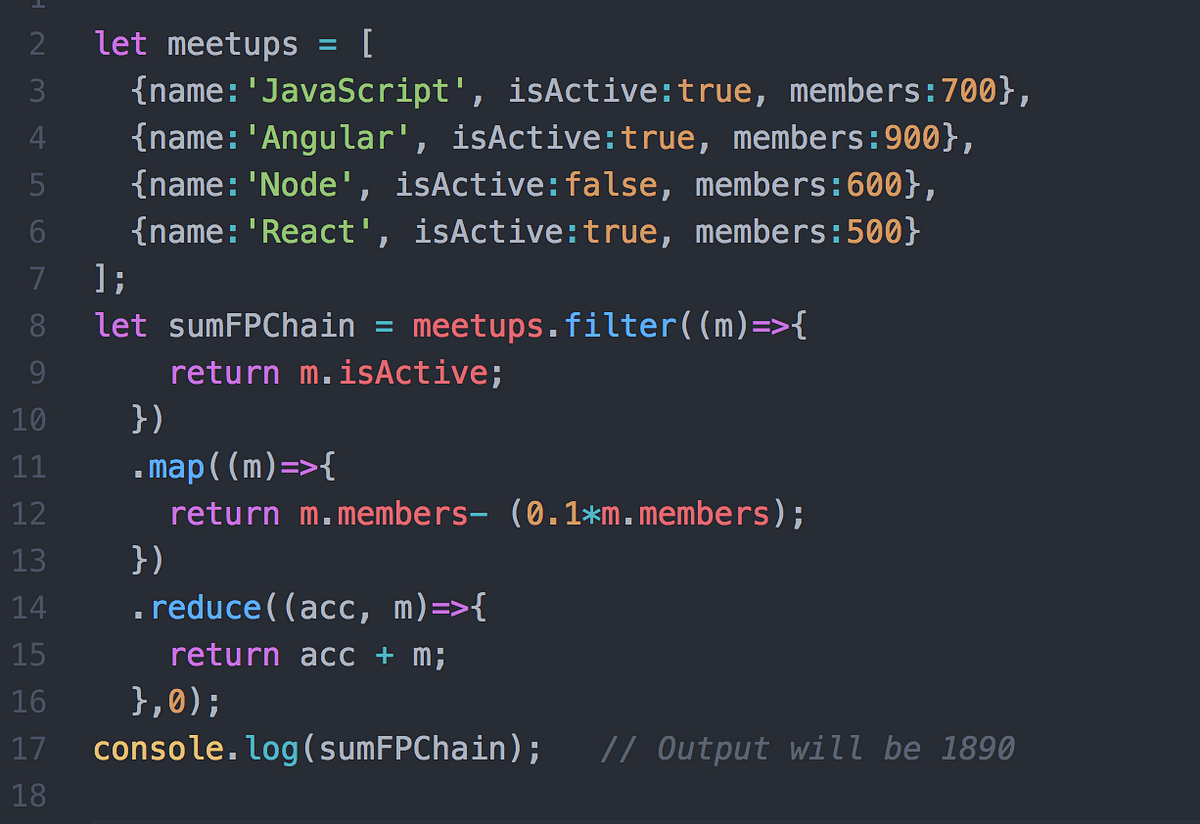
Embracing Functional Programming for Automation Testing: Unleashing New Possibilities
As Quality Assurance professionals, our mission is to ensure the reliability and performance of software applications. Automation testing is a cornerstone of this process, and the approach we take can make all the difference. Let's explore the world of functional programming and how it influences ou...
Using Chained Functions for Automation Testing with Playwright and TypeScript
Welcome to the world of chained functions for automation testing with Playwright and TypeScript. Building on the previously explored PageObject pattern, this topic introduces a powerful and efficient way to streamline your testing workflow. In this guide, we will dive into the concept of chaining...